
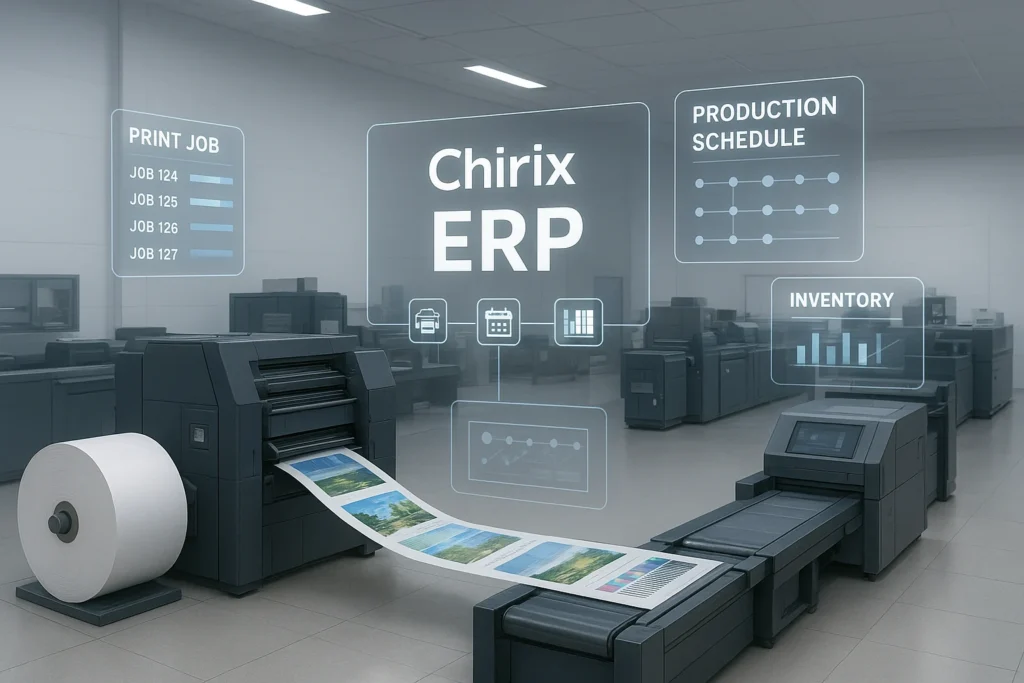
The printing industry is evolving faster than ever. Customers expect shorter turnaround times, personalized prints, and competitive pricing—all while quality demands continue to rise. For print manufacturers and print shop owners, this creates a tricky challenge:
How do you deliver more jobs faster without increasing cost or compromising quality?
That’s where ERP software for printing industry steps in.
A modern printing ERP system connects every part of your workflow—from estimating and job planning to production, inventory, quality, and billing. When everything is synchronized, print production becomes faster, smarter, and more profitable.
In this guide, you’ll learn:
- Why printing manufacturers need ERP today
- How ERP increases print productivity and profit margins
- Features tailor-made for commercial, packaging, and digital printing
- Best practices and real transformation examples
- How Chirix ERP helps printing businesses scale with confidence
Let’s dive in. 👇
Why Print Production Needs ERP Software Today
Common Challenges Faced by Printing Businesses
If these sound familiar, you’re not alone:
- Frequent job changeovers slow down production.
- Manual estimation leads to costing mistakes
- WIP visibility issues cause delays
- Material stock runs out unexpectedly or gets wasted
- Machines face unplanned downtime
- Communication gaps between pre-press, press, and finishing teams
Traditional methods simply can’t keep up with modern printing demands.
ERP Software: Your Smart Digital Workflow
ERP software solves these issues by:
- Providing real-time production status
- Automating job flow from order to delivery
- Ensuring accurate cost estimation & pricing
- Giving full visibility into inventory and machine usage
Instead of jumping between spreadsheets, phone calls, and print logs, one system manages everything in real time.
Key Benefits of ERP Software for Printing Industry
1️⃣ Faster Order-to-Delivery Workflow
ERP automates:
- Job ticket creation
- Job routing
- Proof of approvals
- Production schedules
You deliver urgent jobs without chaos.
2️⃣ Smarter Inventory Planning
No more material surprises.
- Track substrates, inks, and packing materials
- Barcode-based movements
- Auto reorder alerts
Result → Less waste + Zero production stoppages.
3️⃣ Higher Machine Utilization
ERP monitors:
- Machine performance
- Idle time
- Make-ready delays
With preventive maintenance alerts, downtime drops significantly.
4️⃣ Accurate Costing & Pricing
Say goodbye to guesswork.
The system calculates:
- Material consumption
- Labor usage
- Overheads per job
You price competitively and protect your margins.
5️⃣ Quality Improvement & Less Rework
ERP enforces:
- QC checks at each production step
- Digital proofing version control
Quality issues are caught early → less scrap.
Essential Features of ERP Software for Printing IndustryEstimation & Pre-Press Management
- Standardized pricing templates for offset, digital, flexo, and screen printing
- Artwork version control
- Approval workflows
Your sales team quotes confidently—and correctly!
Intelligent Production Planning
- Drag-and-drop scheduling
- Automatic job sequencing to reduce setup time
- WIP dashboards with color-coded progress
Press operators always know what’s next.
Real-Time Inventory Tracking
- Raw material → Production → Finished goods
- Vendor performance monitoring
- Issue-return logs
CRM + Order Management
- Customer order history
- Delivery commitments & dispatch tracking
Boosts repeat business and customer trust.
Finance & Billing Automation
- Auto-generated invoices post-dispatch
- Profitability analysis per order
Cash flow improves instantly.
Who Can Benefit From Printing ERP Software?
The following businesses experience instant value:
- Commercial printers
- Packaging & label manufacturers
- Digital/Large-format print shops
- Flexo, screen, and specialty printing units
- Textile and sublimation printers
Whether you run 10 jobs/day or 1000, ERP scales as you grow.
ROI: How ERP Software Boosts Productivity & Profit
| Benefit | Impact |
|---|---|
| Automated workflows | Faster job completion |
| Material traceability | Reduced scrap cost |
| Better scheduling | Higher production output |
| Machine analytics | Reduced idle time |
| Accurate costing | Improved margins |
🎯 ERP helps you produce more with the same resources.
Example scenario:
A packaging printer delivering 150 jobs per month improves productivity by 25% → now delivering 190+ jobs with no new machines.
That’s real revenue growth. 💰
Implementation Best Practices for Printing ERP
Step 1: Define Clear Goals
Prioritize top issues:
- Reduce lead time
- Optimize materials
- Improve cost accuracy
Step 2: Process Mapping
Identify bottlenecks in workflow → ERP resolves them.
Step 3: Employee Adoption
Provide role-based training for:
- Estimators
- Press operators
- Account teams
When people understand the system, adoption accelerates.
Step 4: Choose Industry-Specific ERP
Generic ERPs fail to handle printing complexities.
Pick a solution designed for print production.
Case Example: A Printer’s Digital Transformation
A commercial printing company struggled with:
- 30–40% waste in jobs with custom finishing
- Untraceable WIP
- Frequent customer complaints
After deploying an ERP:
- Lead time dropped by 35%.
- Waste reduced by 18%
- On-time delivery improved to 97%.
- Customer retention increased
This transformation is now common in print manufacturing.
Why Choose Chirix ERP for Printing Businesses?
Chirix ERP is purpose-built for print production.
It brings speed, quality, and profitability together in one system.
Key Strengths:
✔ Designed specifically for the printing industry
✔ Flexible modules for offset, flexo, digital & packaging
✔ Real-time dashboards with actionable insights
✔ Cloud-based for mobile and remote access
✔ Quick implementation + expert support
With Chirix ERP, you can:
- Schedule jobs intelligently
- Forecast material usage
- Track machine performance
- Reduce rework and waste
- Make data-backed decisions
Chirix ERP doesn’t just manage print jobs—
it turns your printing factory into a smart factory.
How to Choose the Right ERP Software for Printing Industry
Use this quick checklist:
| Feature | Required |
|---|---|
| Industry-specific print modules | ✔ |
| Cloud accessibility | ✔ |
| Real-time dashboards | ✔ |
| Barcode/scanning support | ✔ |
| Integration with design & accounting tools | ✔ |
| Scalable pricing | ✔ |
If a system lacks these, it’s not ready for modern print.
FAQs About ERP Software for Printing Industry
A connected digital solution that manages print workflows—from designing to delivery—while optimizing quality, cost, and productivity.
By minimizing waste, improving machine usage, and eliminating manual errors.
Yes! Modern cloud ERPs like Chirix ERP scale from small to large operations.
Typically 8–16 weeks, depending on process complexity and training needs.
Not at all. Chirix ERP offers intuitive dashboards and role-based views for quick adoption.
Conclusion
The printing industry is competitive — customers won’t settle for less than high-quality prints delivered fast. To keep up, you need more than manpower… you need technology that works behind the scenes 24/7.
By implementing ERP software for printing industry, you can:
- Deliver faster than competitors
- Reduce material and labor wastage
- Strengthen customer relationships
- Unlock stronger margins and scalable growth
If you’re ready to take your print business to the next level…
📞 Reach out to Chirix ERP and transform your production workflow into a smart, automated success engine.
Boost efficiency. Reduce costs. Impress customers.
Grow faster with Chirix ERP.