
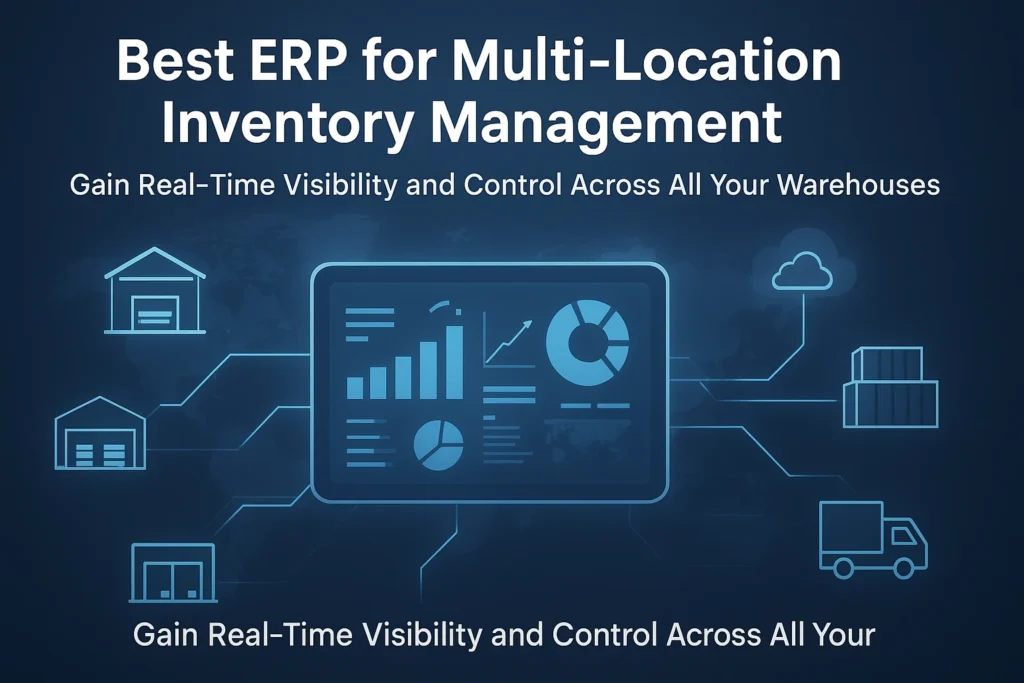
Managing inventory across multiple branches, warehouses, and locations can be one of the toughest challenges for any growing business. Whether you’re in manufacturing, retail, or distribution, keeping track of stock levels, product movement, and demand across different sites can quickly become chaotic — especially when relying on spreadsheets or disconnected systems.
That’s where an ERP for Multi-Location Inventory Management comes in. The right ERP software centralises inventory data, offers real-time visibility, and automates tedious tasks — helping businesses save time, reduce costs, and scale efficiently.
Let’s explore how ERP software simplifies multi-location inventory management and what features to look for when choosing the best system for your business.
What Is Multi-Location Inventory Management?
Multi-location inventory management refers to tracking and controlling stock across multiple warehouses, stores, or branches within an organisation. It ensures that the right products are available at the right place and time, minimising stockouts or overstocking.
However, managing this process manually or through disconnected software can lead to serious issues like:
- Stock mismatches between branches
- Outdated data and reporting delays
- Inefficient transfer of goods between warehouses
- Poor forecasting and supply planning
As businesses expand geographically, visibility and coordination become even more critical. That’s why having a unified ERP solution is essential.
Common Issues Businesses Face Without ERP
- Inaccurate Stock Counts: Manual entry errors and delayed updates create discrepancies.
- Limited Visibility: Managers can’t see real-time stock status across all branches.
- Uncoordinated Transfers: Moving stock between locations often leads to confusion or duplication.
- Slow Decision-Making: Without centralised data, forecasting and planning become guesswork.
Why Businesses Need ERP for Multi-Location Inventory Management
An ERP (Enterprise Resource Planning) system integrates inventory, sales, purchases, finance, and logistics into one centralised platform. When implemented properly, it enables companies to manage multiple locations seamlessly — all from a single dashboard.
Here’s how ERP makes a difference:
1. Centralised Visibility Across All Locations
With ERP software, every stock movement — from procurement to sales — is updated in real time. Managers can view item availability, pending orders, and transfer histories across all branches on a unified dashboard.
2. Improved Accuracy and Reduced Stockouts
Automated inventory tracking eliminates human error. Barcode scanning, batch tracking, and real-time updates ensure you always know exactly how much stock you have — and where it’s located.
3. Streamlined Inter-Branch Transfers
ERP systems make transferring goods between warehouses effortless. You can generate transfer orders, monitor movement, and record receipts digitally, avoiding manual paperwork and miscommunication.
4. Data-Driven Decision Making
With consolidated analytics and reports, you can track inventory turnover, demand trends, and location-specific performance. This helps in forecasting demand and optimising procurement more effectively.
Key Features to Look for in the Best ERP for Multi-Location Inventory Management
When evaluating ERP software for your business, make sure it includes these essential features:
1. Real-Time Inventory Tracking
A good ERP automatically syncs stock data across all branches, ensuring that every transaction — purchase, sale, or transfer — is instantly reflected.
2. Warehouse & Location Management
It should support multiple warehouses, stores, and depots with the ability to view stock levels per location and manage geo-based operations.
3. Automation & Alerts
Set automated reordering levels, expiry alerts, and low-stock notifications to prevent shortages or wastage.
4. Integration with Accounting and Sales Modules
The ERP should seamlessly connect inventory data with finance, purchasing, and sales modules for end-to-end traceability.
5. Role-Based Access & Security
Each branch or user should have defined access rights to maintain control and data security.
How ERP Simplifies Multi-Location Inventory Challenges
Balances Supply and Demand
By analysing consumption patterns, the ERP ensures that each branch has the right stock quantity — neither excess nor shortage.
Minimises Manual Effort
Automation reduces paperwork and human errors, saving hours of repetitive work every week.
Ensures Data Accuracy Across Branches
A centralised cloud-based database eliminates inconsistencies and keeps every department on the same page.
Best ERP Software for Multi-Location Inventory Management
There are several ERP systems available today, but the best one for your business depends on your size, industry, and operational needs. Here are a few top options:
1. Chirix ERP (by JM-Origin)
Chirix ERP is a cloud-based, scalable ERP system designed specifically for growing businesses that operate across multiple locations.
Key highlights include:
- Real-time stock visibility across all branches
- Automated purchase and transfer management
- Centralised reporting and analytics
- Role-based access for warehouse teams
- Integration with accounting and sales modules
Whether you manage two branches or twenty, Chirix ERP helps you maintain accuracy, control, and efficiency — all from a single platform.
2. SAP Business One
A powerful ERP for large enterprises offering advanced inventory management and supply chain modules.
3. Oracle NetSuite
Cloud-native ERP with global inventory tracking and reporting features.
4. Odoo ERP
Open-source ERP offering modular functionality, including inventory, CRM, and accounting.
How to Choose the Right ERP for Your Business
Choosing the right ERP is a strategic decision. Here’s what you should consider:
1. Evaluate Your Inventory Complexity
Assess how many locations, products, and users you need to manage.
2. Check for Scalability and Cloud Access
Choose an ERP that can grow with your business and offer access from anywhere.
3. Ask for Customisation Options
Ensure it can be tailored to your industry and specific operational workflows.
4. Compare Cost vs. Value
Rather than focusing only on price, measure how much efficiency, visibility, and ROI the ERP delivers.
Real-Life Example: How ERP Improved Multi-Location Efficiency
Imagine a manufacturing company with five warehouses across India. Before implementing ERP, they relied on spreadsheets, leading to frequent stock mismatches and delayed transfers. After deploying Chirix ERP, they achieved:
- 30% faster inter-branch transfers
- 100% visibility of real-time stock
- Reduced manual errors by 80%
- Improved order fulfilment rate by 25%
This transformation demonstrates how the right ERP empowers multi-location businesses to perform at scale.
Conclusion
In today’s competitive market, managing inventory across multiple locations demands precision, speed, and visibility. An ERP for Multi-Location Inventory Management delivers all of that and more — integrating operations, automating workflows, and providing data-driven insights.
If your business is ready to move beyond spreadsheets and gain complete control over your inventory, it’s time to explore Chirix ERP.
✅ Get a free demo today and see how Chirix ERP simplifies multi-location inventory management for your business.
Great post! Thanks for sharing this valuable information. Keep up the excellent work.