
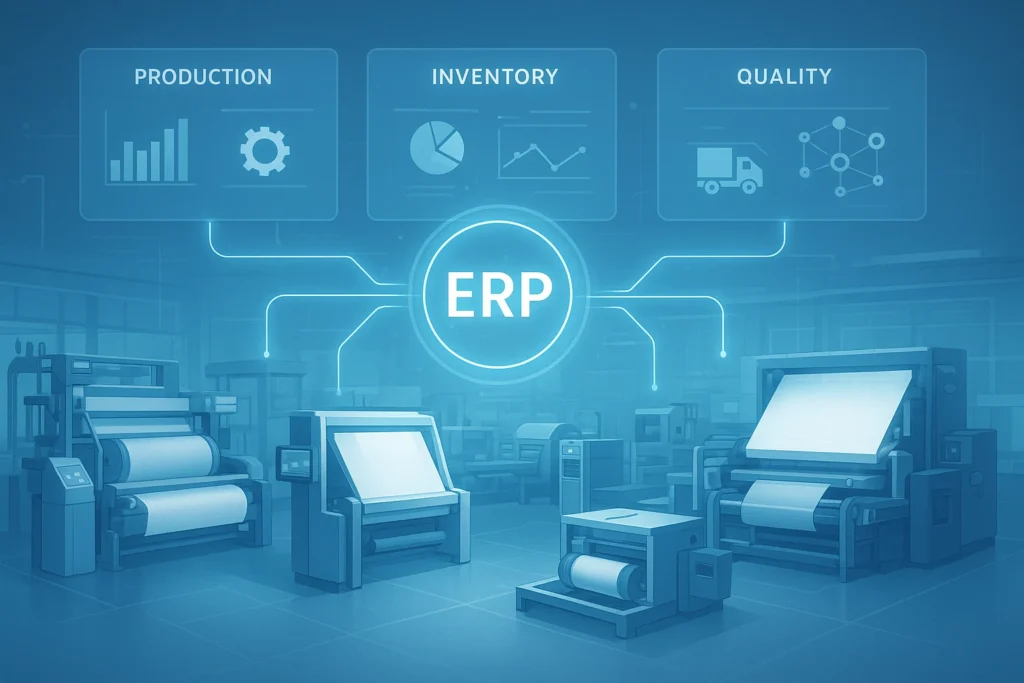
As businesses grow, managing operations manually becomes increasingly difficult—especially in manufacturing and textile industries where production, inventory, sales, and procurement must work in perfect sync. Without a unified system, departments end up working in silos, causing delays, errors, and unnecessary costs.
That’s where ERP comes in.
So, what is ERP software and why are so many modern businesses adopting it? In this guide, we’ll break it down in simple terms and help you understand whether your organization needs one today.
What Is ERP Software?
ERP stands for Enterprise Resource Planning—a software system that integrates all major business processes into one centralized platform. Instead of different teams using separate tools for accounting, production, inventory, and HR, ERP connects everything so data flows smoothly across departments.
With ERP, businesses gain:
- One source of truth for all data
- Faster decision-making with real-time visibility
- Automated and standardized workflows
For example, when a textile manufacturer receives a new order, the ERP automatically updates inventory needs, schedules production, allocates machines, and triggers raw material purchasing—all without duplicate manual entries.
How Does ERP Software Work?
ERP operates on a centralized database and modular architecture.
Here’s how it streamlines business operations:
- Each department uses a dedicated module (Sales, Finance, Inventory, etc.)
- All data updates in real time across the entire system
- Managers can track performance using dashboards and analytics
- Automation reduces repetitive work and human error
Modern ERPs come in cloud, on-premise, or hybrid deployment models depending on business needs.
Key Features of ERP Software
Finance and Accounting
- Automated billing and invoicing
- Cash flow and financial reporting
- Compliance and audit support
Inventory and Warehouse Management
- Stock level tracking
- Warehouse automation with barcode/RFID
- Order fulfillment accuracy
Production and Manufacturing Management
- Production scheduling
- BOM (Bill of Materials) control
- Machine performance and downtime tracking
Sales and CRM
- Customer order management
- Sales forecasting
- Improved customer service
HR and Payroll
- Attendance and workforce data
- Payroll automation
- Employee lifecycle management
Supply Chain and Procurement
- Vendor management
- Purchase automation
- Logistics and delivery tracking
Benefits of ERP Software for Businesses
Businesses that implement ERP experience:
- Improved productivity and process efficiency
- Reduced operational costs and wastage
- Better quality control and compliance
- Enhanced customer satisfaction
- Accurate reporting and business insights
- Easy scalability as the company grows
For textile and manufacturing companies, these benefits are even more crucial due to high production volume and complex supply chains.
Types of ERP Software
On-Premise ERP
Installed locally on company-owned servers
✔ Higher control | ✘ Higher cost and IT maintenance
Cloud ERP
Hosted online and accessed from anywhere
✔ Cost-effective & scalable | ✘ Requires stable internet
Hybrid ERP
A mix of both for smooth transition
✔ Flexible adoption
Industry-Specific ERP
Designed for niche needs like:
- Textile production
- Garment processing
- Automotive manufacturing
- Retail distribution
These ERPs come with tailor-made modules that match industry workflows.
Who Needs ERP Software?
ERP is valuable for organizations that:
- Operate across multiple departments
- Face frequent errors from manual work
- Struggle with real-time data visibility
- Want to scale operations efficiently
SMEs and large enterprises in manufacturing, trading, and textiles often adopt ERP to stay competitive.
Signs Your Business Needs ERP
You may need ERP software if:
- You use multiple disconnected applications
- Inventory mismatch is common
- Production delays affect delivery timelines
- Reports take too long to compile manually
- Customers frequently face delays or incorrect orders
How Much Does ERP Software Cost?
ERP pricing depends on:
- Number of users
- Deployment type (cloud/on-premise)
- Modules required
- Customization and integrations
- Training and ongoing support
Cloud ERPs are usually more affordable for SMEs due to subscription-based pricing.
How to Choose the Right ERP Software
Follow these steps when evaluating ERP vendors:
- Identify your core business needs
- Prioritize scalability and user-friendly design
- Confirm industry-specific modules (e.g., textile manufacturing)
- Review vendor reliability and after-sales support
- Request product demos and trial access
ERP Implementation: What to Expect
- Requirement analysis
- System configuration & customizations
- Data migration
- User training and testing
- Go-live and ongoing support
Proper change management ensures smooth employee adoption.
Conclusion
ERP software helps businesses streamline operations, reduce costs, and accelerate growth in an increasingly competitive environment. Now that you understand what is ERP software, the next step is choosing a trusted solution that fits your industry.
If you’re in the textile or manufacturing sector, investing in the right ERP can transform your entire production lifecycle—from raw material purchase to customer delivery.
To automate and integrate business operations like inventory, finance, HR, and production.
No. Small and medium businesses benefit greatly from ERP, especially cloud versions.
Typically from a few weeks to several months—depending on company size and customization needs.
I think this is one of the most important information for me.
And i’m glad reading your article. But should remark on few general things, The website
style is wonderful, the articles is really great : D.
Good job, cheers
my page :: backlink yang bagus