
It’s 4:45 PM on a Friday. Your dispatch team is asking which orders are ready to ship. Your production supervisor is texting you Kraft reel stock numbers from memory. Your accountant is chasing someone for e-waybill details before the truck leaves. And you, the person who’s supposed to have the full picture, are toggling between three spreadsheets and a WhatsApp group trying to piece it together.
This is the daily reality for a lot of manufacturing and packaging units. The data exists. It’s just scattered and locked inside machines, ledgers, and people’s heads instead of in one place you can actually look at.
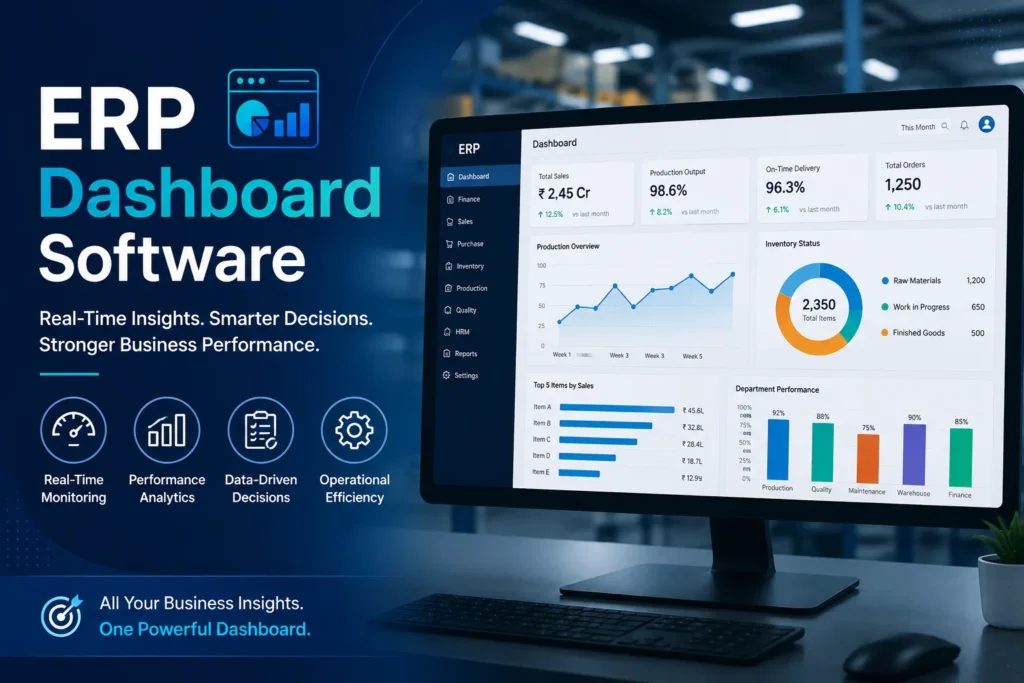
That’s the gap ERP dashboard software is built to close. Instead of pulling reports after the fact, a good ERP dashboard gives you a live, visual view of what’s happening on your shop floor right now: production status, inventory levels, order pipeline, and compliance flags all on one screen.
In this guide, we’ll cover what ERP dashboard software actually does, the features that matter most for manufacturers, how the leading solutions stack up against each other, and how to figure out which one fits your plant. We’ll also look at where purpose-built platforms like Chirix ERP fit into the picture for packaging and manufacturing SMEs specifically.
What Is ERP Dashboard Software? (and Why Manufacturers Need One)
ERP dashboard software is the visual layer that sits on top of your ERP system’s data. Rather than digging through transaction logs or exporting reports into Excel, a dashboard pulls the numbers that matter – production output, stock levels, pending dispatches, and machine downtime – into charts, gauges, and tables you can scan in seconds.
How ERP Dashboards Differ from Standard ERP Reports
Traditional ERP reports are static. You run them, they show a snapshot from whenever you generated them, and by the time you’ve read through the PDF, the numbers may have already moved. A dashboard, by contrast, updates continuously (or near-continuously) and lets you interact with the data filter by shift, drill into a specific work order, or switch views by department without waiting on someone in accounts to pull a new report.
The Cost of Not Having Real-Time Visibility
For packaging and manufacturing units specifically, the absence of a dashboard tends to show up in predictable ways:
- Dispatch delays because nobody flagged that an order was stuck at quality check
- Reel stock mismatches between what the system says and what’s actually on the floor
- Compliance misses a GST filing deadline or e-waybill that slips through because it wasn’t visible until it was already late
- Job work confusion when work orders move across multiple vendors and nobody has a single view of status
None of these are large problems individually. But they compound, and they’re almost always downstream of the same root cause: nobody had a dashboard showing the full picture in time to act.
Key Features to Look for in ERP Dashboard Software
Not all dashboards are built the same, and manufacturing has different needs than, say, retail or services. Here’s what actually matters on the shop floor.
Real-Time Production & Inventory Tracking
The dashboard should reflect what’s happening now, not what happened at end-of-day yesterday. For packaging units, this means live visibility into raw material consumption (Kraft reels, adhesives, and films) alongside finished goods movement.
Customisable KPI Widgets
Every plant cares about different numbers. Look for dashboards that let you configure widgets for the KPIs that matter to you, such as OEE (Overall Equipment Effectiveness), machine downtime, order fulfilment rate, or job work turnaround time instead of a fixed, one-size-fits-all layout.
Role-Based Dashboard Views
An owner needs a different view than a shop floor supervisor or a dispatch coordinator. Strong ERP dashboard software lets you assign views by role, so each person sees only what’s relevant to their job without wading through irrelevant data.
Mobile Access for On-the-Go Monitoring
If you’re not physically at the plant, you still need visibility. Mobile-accessible dashboards mean a plant owner can check dispatch status or stock levels from a phone between client meetings.
Integration with GST/E-Waybill & Compliance Modules
For Indian manufacturers, compliance isn’t optional. A dashboard that surfaces GST filing status and e-waybill generation alongside production data means compliance stops being a separate, easy-to-forget task.
Drill-Down Reporting
A good dashboard doesn’t stop at the summary number. If a KPI looks off, you should be able to click into it and see the transaction-level detail behind it, which order, which vendor, and which shift without switching to a different tool.
Top ERP Dashboard Software Solutions Compared
| Software | Best For | Key Dashboard Features | Manufacturing Fit |
|---|---|---|---|
| Chirix ERP | Packaging & manufacturing SMEs | Real-time reel stock tracking, job work visibility, GST/e-waybill integration, role-based views | Purpose-built for packaging and manufacturing workflows |
| SAP Business One | Larger manufacturers with complex operations | Deep financial and inventory analytics, extensive customization | Strong fit for enterprises with dedicated IT support |
| Odoo | Manufacturers wanting modular flexibility | Configurable dashboards across modules, open-source flexibility | Good for units willing to invest in setup and customization |
| Katana | Small-batch and made-to-order manufacturers | Visual production scheduling, live inventory dashboard | Best suited to smaller, simpler production runs |
Chirix ERP – Built for Packaging & Manufacturing SMEs
Chirix ERP’s dashboard is designed around the specific pain points of packaging and manufacturing units: tracking Kraft reel stock as it moves through production, managing job work across multiple vendors, and keeping dispatch and compliance visible in one place. For SMEs that don’t have a large IT team to manage a heavier enterprise platform, this focus tends to mean faster setup and less unused complexity.
SAP Business One – Enterprise-Grade Depth
SAP Business One offers extensive dashboard customisation and deep financial reporting, which suits larger manufacturers with more complex operations and dedicated implementation resources. The tradeoff is a steeper learning curve and higher setup cost, which can be more than a mid-sized packaging unit needs.
Odoo – Modular and Flexible
Odoo’s open architecture lets you build dashboards module by module, which appeals to manufacturers who want to customise extensively. This flexibility comes with more setup work you’re often configuring more of the dashboard yourself rather than getting manufacturing-specific views out of the box.
Katana – Visual Scheduling for Smaller Runs
Katana leans heavily on visual production scheduling and works well for smaller, made-to-order manufacturers. It’s less suited to units managing large-scale job work networks or complex compliance requirements alongside production.
ERP Dashboard Software Use Cases in Manufacturing
Tracking Kraft Reel Stock and Raw Material Consumption
For packaging units, reel stock is one of the highest-value, fastest-moving inputs. A dashboard view that shows current stock, consumption rate, and reorder points prevents last-minute scrambles to source material mid-production run.
Monitoring Job Work Orders Across Multiple Vendors
When production is split across in-house lines and outside job workers, a dashboard consolidating status across all of them means you’re not chasing updates by phone call. One view shows what’s pending, what’s delayed, and what’s ready to move to the next stage.
Reducing Dispatch Delays with Live Order Status Views
A live dispatch dashboard flags orders sitting at quality check or awaiting invoicing before they become late shipments, catching the delay while there’s still time to fix it, not after the customer calls, asking where their order is.
Case Snapshot: A Packaging Unit’s Reporting Time, Before and After
A mid-sized packaging unit previously spent close to two hours each morning compiling stock and dispatch status from separate registers before the day’s planning meeting. After moving to a live dashboard view, that same information was available continuously, cutting daily reporting time significantly and letting the planning meeting start with current numbers instead of yesterday’s.
How to Choose the Right ERP Dashboard Software for Your Plant
Assessing Your Current Reporting Bottlenecks
Before evaluating vendors, map out where your current process breaks down. Is it stock visibility? Dispatch tracking? Compliance deadlines? The answer should shape which features you prioritise rather than buying based on a generic feature list.
Questions to Ask Vendors Before You Buy
- Can the dashboard be configured around our specific production process (job work, Kraft reel tracking, etc.), or are we adapting our process to fit the software?
- How is data updated through real-time or periodic refreshes?
- Is mobile access included or an add-on?
- What does onboarding and training actually look like for our team?
Implementation Timeline: What to Expect
Timelines vary by platform complexity, but for SME-focused ERP dashboards, initial setup and staff onboarding typically take a few weeks rather than months – one of the practical advantages of choosing a platform built specifically for your industry rather than a broad, heavily customised enterprise system.
Frequently Asked Questions
An ERP dashboard is built directly on your ERP’s live operational data – production, inventory, and dispatch. A BI (Business Intelligence) tool is typically broader and often pulls from multiple data sources for deeper analytical reporting, sometimes with more setup required to connect to your ERP in the first place.
Most modern ERP dashboards, including Chirix ERP, are designed to integrate with common accounting workflows and compliance requirements like GST filing so financial and operational data stay in sync.
Yes, in fact, smaller units often see the fastest impact since a live dashboard replaces manual, spreadsheet-based tracking that tends to be more error-prone at lower headcounts.
For SME-focused platforms, implementation is typically measured in weeks. Enterprise platforms with heavy customisation can take longer.
Yes, Chirix ERP’s dashboard is built specifically around packaging and manufacturing workflows, including Kraft reel stock tracking, job work status, and dispatch visibility.
Conclusion
Manufacturing decisions are only as good as the visibility behind them. An ERP dashboard doesn’t replace your team’s judgement; it makes sure that judgement is based on what’s actually happening on the floor right now, not on numbers pieced together from memory and spreadsheets.
If you’re running a packaging or manufacturing unit and spending more time compiling reports than acting on them, it may be worth seeing what a purpose-built dashboard looks like in practice.
See how Chirix ERP’s real-time dashboard gives packaging and manufacturing units full visibility — schedule a demo to see it on your own data.