
It’s 4 PM on a Friday, and your production manager is still trying to figure out how many units were completed on Line 2 this week. The shift supervisor has one number in a notebook. The Excel sheet from Tuesday has another. And the machine operator swears the actual count is different from both.
If this sounds familiar, you’re not alone. Most manufacturing units, especially job work and packaging operations, run on data that’s already a day, a shift, or a week old by the time it reaches the people who need to act on it. That delay isn’t just an inconvenience. It shows up as missed dispatch deadlines, wasted raw material, and decisions made on guesswork instead of facts.
This is exactly the gap that manufacturing analytics software is built to close. Instead of chasing numbers after the fact, you see what’s happening on your shop floor as it happens: output, downtime, bottlenecks, and efficiency, all in one place.
In this blog, we’ll break down what manufacturing analytics software actually does, the features worth looking for, and how Chirix ERP turns real-time production data into decisions you can act on today.
What Is Manufacturing Analytics Software (and Why It Matters Now)
Manufacturing analytics software takes the raw activity happening on your shop floor machine run-time, batch progress, operator input and material consumption and converts it into dashboards and reports that are easy to read and act on. Instead of static, backward-looking reports, you get a live view of production as it unfolds.
The word “real-time” is doing a lot of work here. Traditional reporting tells you what happened yesterday. Real-time analytics tells you what’s happening right now while there’s still time to fix it.
The Hidden Cost of Delayed Production Data
When production data arrives late, so does every decision built on it:
- Missed dispatch timelines because a delay wasn’t flagged until it was too late to recover
- Raw material wastage from overproduction, wrong batch sizes, or untracked reel/roll stock
- Reactive firefighting instead of proactive planning: problems get discovered, not prevented
For packaging and manufacturing units juggling multiple product lines and job work orders, this lag compounds fast. A single missed signal on one machine can ripple into a missed delivery for an entire client order.
Who Needs Manufacturing Analytics Software Most
While any production unit benefits from better visibility, the need is sharpest for:
- Multi-unit manufacturers trying to compare performance across locations
- Job work and contract manufacturing setups managing multiple client orders simultaneously.
- Packaging and process industries dealing with high SKU and batch variability, where small errors are expensive
Key Features to Look for in Manufacturing Analytics Software
Before choosing a platform, it helps to know what “good” looks like. Here’s what separates genuinely useful manufacturing analytics software from a glorified spreadsheet with a dashboard skin.
Real-Time Production Dashboards
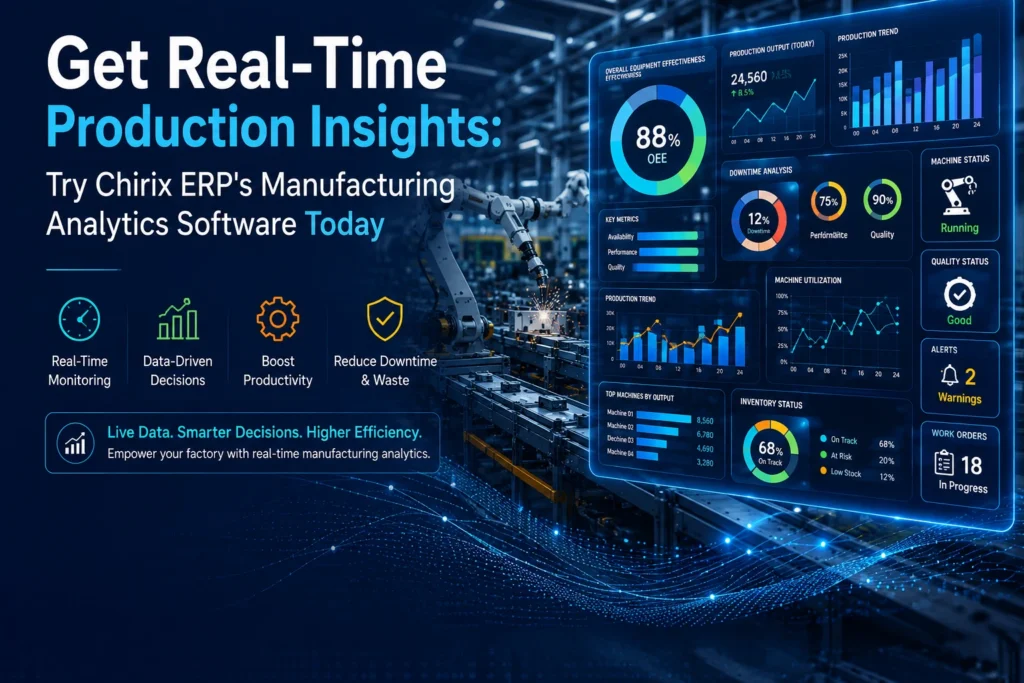
Live tracking of machine output, line status, and batch completion is visualised through KPIs like OEE (Overall Equipment Effectiveness), downtime percentage, and completion rates. You should be able to glance at a screen and know exactly where production stands.
Downtime & Bottleneck Tracking
Not all downtime is the same. Good analytics software helps you tell the difference between a machine breakdown, a material delay, and a manpower shortage — because each one needs a different fix.
Custom Reports & Drill-Down Analytics
The ability to slice data by department, shift, or product gives managers the context they need without digging through raw numbers. Reports should also be exportable for leadership reviews.
Mobile & Remote Access
Production doesn’t stop when you’re not on-site. Being able to check status from a phone or tablet — whether you’re at a client meeting or a different plant — keeps decision-making fast, no matter where you are.
How Chirix ERP’s Manufacturing Analytics Software Works
Chirix ERP was built around a simple idea: manufacturers shouldn’t have to wait until the end of the day to know how their production is going.
Real-Time Data Capture From the Shop Floor
Data flows into Chirix ERP directly from your production process, whether through machine integration, job work checkpoints, or structured manual entry at key stages. There’s no need to reconcile three different spreadsheets at the end of the shift; the system builds the picture as work happens.
Visual Dashboards Built for Manufacturing Managers
Chirix ERP’s dashboards are designed for the people actually running the floor, not just IT teams. Production status, machine-wise output, and shift comparisons are laid out visually, so managers without a technical background can read them at a glance and act immediately.
Alerts & Notifications for Production Delays
Instead of discovering a delay after it’s already affected dispatch, Chirix ERP flags issues as they emerge, such as a stalled batch, an idle machine, or an overdue job work order, so your team can respond while there’s still time to course-correct.
Real-World Impact: What Changes When You Have Real-Time Insights
Manufacturers using structured production analytics, including packaging and process units similar to Galaxy Packing Industry, Ford Packaging, and Focus Print & Pack, typically see the same pattern: the shift from reactive to proactive management.
Faster Decision-Making on the Floor
When supervisors can see a problem the moment it starts, they can reroute work, reassign machines, or escalate issues immediately instead of hours or days later.
Reduced Dispatch Delays
With live visibility into batch progress, teams can catch slippage early enough to recover the timeline, rather than explaining a missed delivery after the fact.
Better Accountability Across Shifts
When every shift’s output is logged and visible, handovers become clearer, and it’s easy to see exactly where and when a bottleneck occurred.
Manufacturing Analytics Software vs. Traditional Reporting Methods
| Manual/Excel Reporting | Basic ERP Reports | Chirix ERP Real-Time Analytics | |
| Data timing | End of day/week | Delayed batch updates | Live, real-time |
| Visibility into downtime causes | Rarely tracked | Limited detail | Root-cause level |
| Accessibility | Desktop-only, manual compilation | Office-based | Mobile & remote access |
| Decision speed | Reactive | Semi-reactive | Proactive |
| Effort required | High (manual entry & reconciliation) | Moderate | Low (automated capture) |
How to Get Started With Chirix ERP’s Manufacturing Analytics Software
Getting real-time visibility into your production doesn’t require ripping out your existing systems. Here’s how the process typically works:
- Book a free demo see how the dashboard looks with data relevant to your industry
- Setup & integration Chirix ERP’s team maps your production stages and data points
- Dashboard walkthrough your team gets a guided tour of the live analytics view
- Go live, starting tracking production in real time, with support during rollout
Frequently Asked Questions
It’s used to convert live shop floor data, machine output, downtime, and batch progress into dashboards and reports that help managers make faster, more informed production decisions.
Standard ERP reports are typically generated after data is compiled, often at the end of a shift or day. Real-time analytics updates continuously, so issues are visible as they happen, not after.
Yes. Chirix ERP is built with packaging and manufacturing job work workflows in mind, including tracking for outsourced processes and multi-client production.
No. Chirix ERP’s setup is guided end-to-end, with dashboards designed to be usable without technical training a common concern for smaller teams.
Yes. Chirix ERP supports mobile and remote access, so you can check production status from anywhere.
See Your Production Data in Real Time
Delayed data means delayed decisions, and in manufacturing, delayed decisions cost money. Chirix ERP’s manufacturing analytics software gives you a live view of your shop floor, so you can catch problems before they become missed deadlines.